

Entering the world of cryptocurrency trading can feel like learning a new language. You have to master market trends, understand complex charts, and manage risk—all while navigating clunky, outdated software. This is where HeroFX TradeLocker changes the game. Designed specifically to bridge the gap between professional tools and user-friendly design, this platform allows you to trade with confidence from day one.
In this guide, we will break down exactly why the HeroFX TradeLocker combination is becoming the go-to choice for crypto newbies in 2025. From its seamless TradingView integration to the simple herofx sign in process, we cover everything you need to know to launch your trading journey.
What is HeroFX TradeLocker?
Before diving into the “how-to,” let’s clarify what this platform actually is. HeroFX is your broker—the financial institution that holds your funds and connects you to the global markets. TradeLocker is the trading terminal—the software where you actually analyze charts and click “buy” or “sell.”

Unlike older platforms that look like they were built in the 90s, HeroFX TradeLocker is a next-generation platform built for the modern trader. It combines the robust liquidity and low spreads of HeroFX with the sleek, intuitive interface of TradeLocker.
Why the Partnership Matters
- Deep Liquidity: HeroFX provides access to over 170+ instruments including major Crypto pairs.
- Modern Tech: TradeLocker runs directly in your browser or mobile app without heavy installations.
- Speed: Fast execution is critical in crypto, where prices can shift in milliseconds.
Why TradeLocker is Perfect for Crypto Newbies
If you are just starting, the HeroFX Trade Locker platform offers distinct advantages that flatten the learning curve.
1. Seamless TradingView Integration
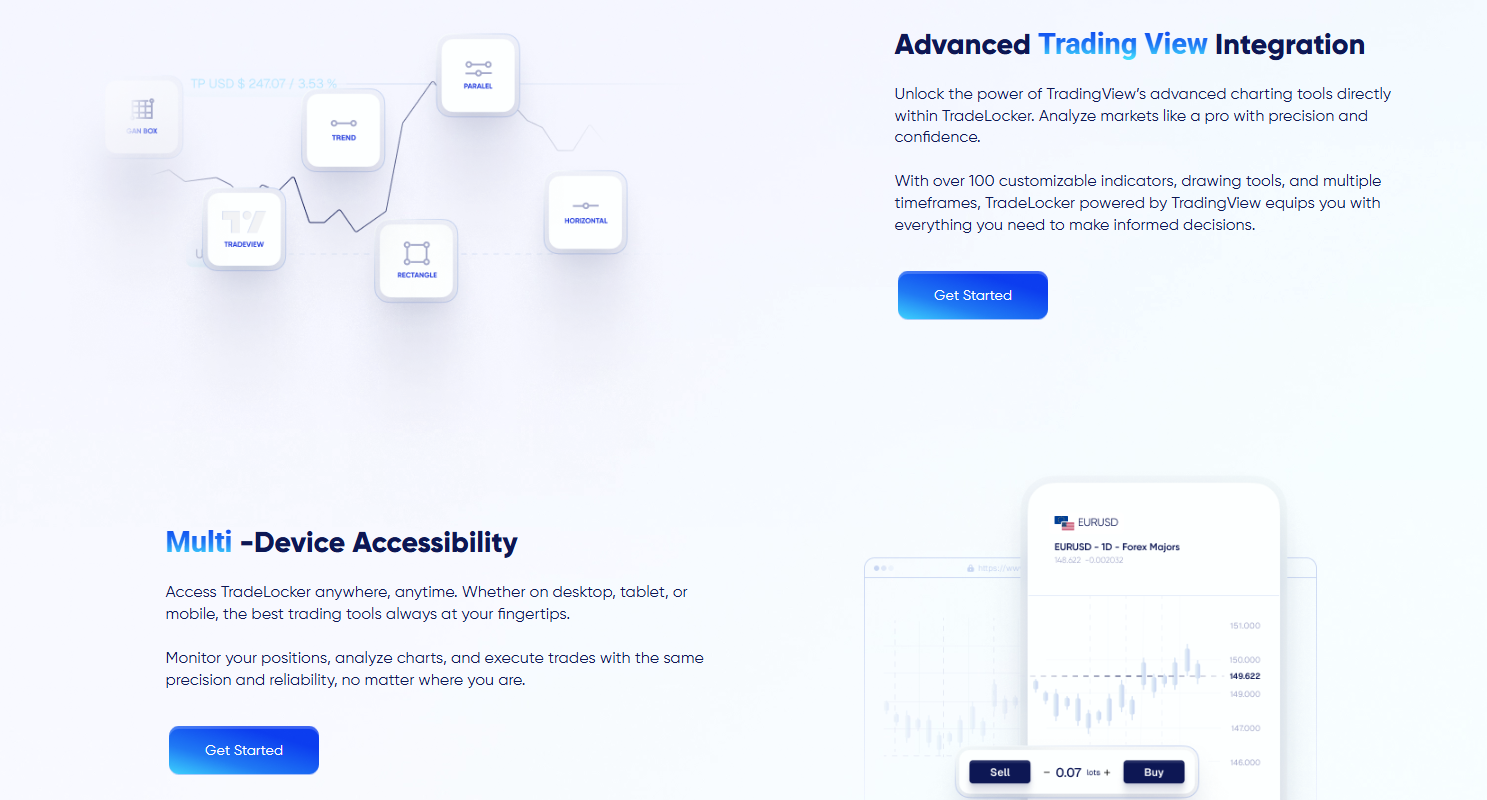
Most beginners learn to read charts on TradingView. On older platforms, you have to analyze on TradingView and then switch tabs to place a trade, often missing the perfect entry. With HeroFX TradeLocker, TradingView is native to the platform. You get all your favorite indicators, drawing tools, and chart types directly on your trading screen.
2. Built-in Risk Management Tools
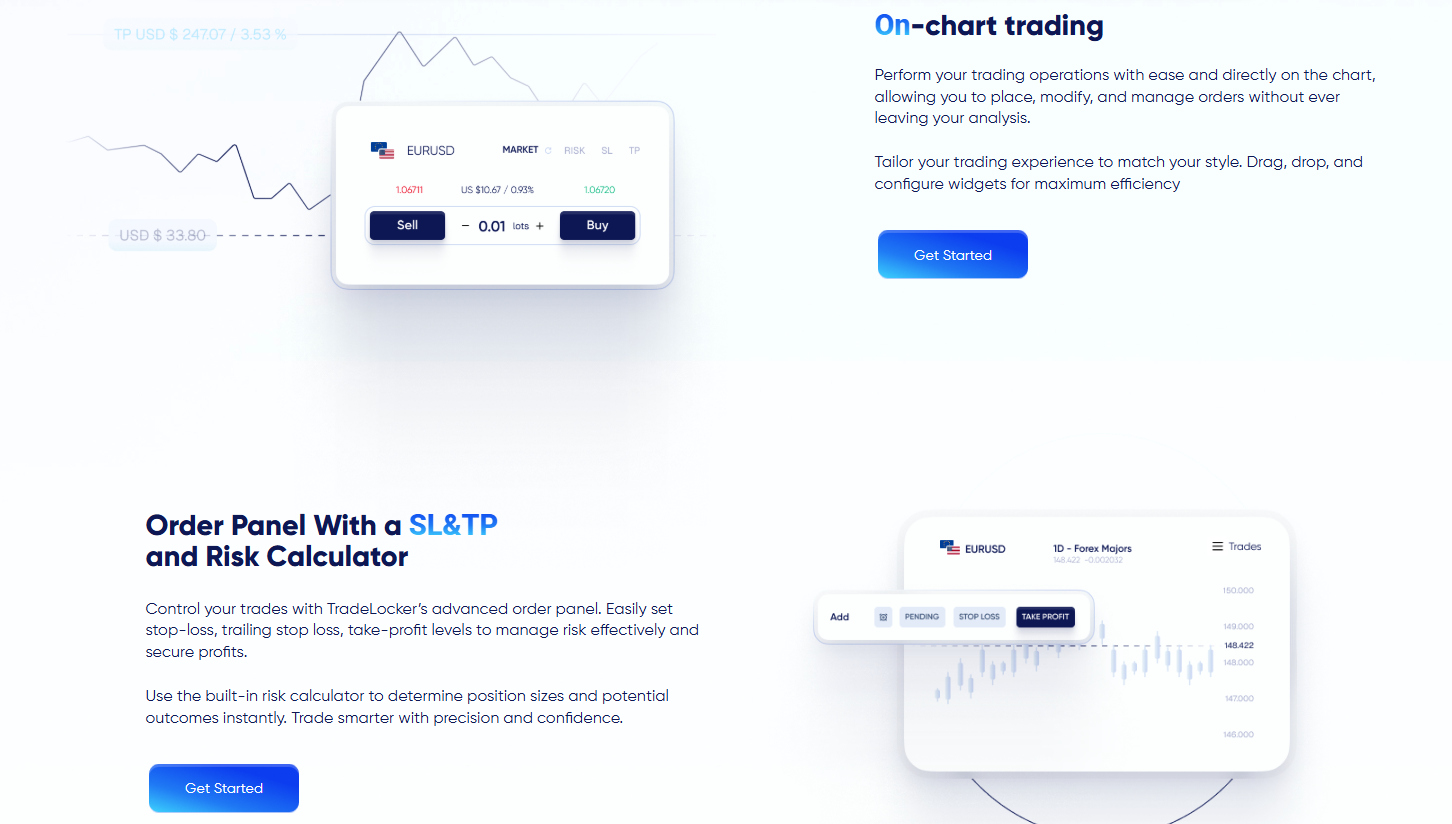
One of the biggest reasons beginners fail is poor risk management. TradeLocker solves this with an on-chart Risk Calculator.
- Stop Loss (SL) & Take Profit (TP): You can set these visually by dragging lines on the chart.
- Automatic Lot Size Calculation: You don’t need to do math in your head. Simply input the dollar amount you are willing to risk (e.g., “$50”), and the platform automatically calculates the correct lot size for you.
Important Note
Proper risk management is the foundation of long-term success. Never risk more than 1-2% of your account on a single trade.
3. Mobile-First Design
The TradeLocker HeroFX mobile app is not just a watered-down version of the desktop site; it is a fully functional trading station. Whether you are on iOS or Android, you can manage positions, analyze charts, and execute trades on the go.
Step-by-Step: HeroFX Sign In and Setup
Many users get stuck trying to find the herofx sign in page or understanding how to link their accounts. Follow this simple checklist to get started.
-
Register with HeroFX
First, you need a broker account. Visit the official site to create your profile.
Start your journey by creating an account here - Verify Your Identity (KYC) To ensure security and compliance, you must verify your identity. Upload your ID and proof of address in the HeroFX dashboard. This process is usually fast and ensures your funds are safe.
-
Create Your TradeLocker Account
Once inside the HeroFX dashboard:
- Navigate to the “Platforms” or “Downloads” section.
- Select TradeLocker as your preferred platform.
- Click “Create Live Account” (or Demo if you are practicing).
- You will receive your TradeLocker login credentials via email.
- The HeroFX Sign In Process Go to the TradeLocker web terminal or open the mobile app. Enter the credentials emailed to you in Step 3. You are now connected to the HeroFX trading platform TradeLocker and ready to trade.
HeroFX TradeLocker vs. MT4/MT5: Which is Better?
If you search for HeroFX Tradelocker review comparisons, you will often see it pitted against MetaTrader 4 (MT4) or MetaTrader 5 (MT5). Here is a quick breakdown for beginners:
| Feature | HeroFX TradeLocker | MT4 / MT5 |
|---|---|---|
| Charting | TradingView (Native) | Basic / Outdated |
| Interface | Modern, Clean, Dark Mode | Clunky, Windows 98 style |
| Device Support | Web, iOS, Android (Cloud-based) | Desktop Software required |
| Risk Tool | Built-in Calculator ($ Risk) | Requires external plugins |
| Best For | Crypto Newbies & Price Action | Algo Traders (EAs) |
For a beginner focusing on price action and manual trading, TradeLocker HeroFX is the clear winner due to its simplicity and visual tools.
Trading Strategies for Beginners
Having the best platform is useless if you don’t know how to trade. The crypto market is volatile, and having a plan is essential.
Technical Analysis
Since TradeLocker uses TradingView charts, you can easily spot trends. Look for support and resistance levels where the price has historically bounced.
Trend Following
“The trend is your friend.” If Bitcoin or Ethereum is making higher highs, look for buying opportunities rather than trying to short the market.
Evidence and Market Growth
Why trade crypto now? The market is maturing. According to a report by Polaris Market Research, the global cryptocurrency market was valued at USD 6.20 billion in 2024 and is expected to grow significantly. Furthermore, CME Group reported a record year for Bitcoin futures in 2024, showing massive institutional interest.
This institutional growth suggests that the market is becoming more stable, making it a safer environment for new traders compared to the “Wild West” days of 2017.
Frequently Asked Questions (FAQs)
Is HeroFX TradeLocker free to use?
Yes, the platform itself is free. You only pay the standard spreads or commissions charged by the broker on your trades.
Can I trade on weekends?
Yes! Unlike the stock market, the cryptocurrency market is open 24/7. HeroFX allows you to trade crypto pairs even on Saturdays and Sundays.
How do I deposit funds?
After your herofx sign in, go to the “Funds” section. You can deposit using Bitcoin (BTC), Ethereum (ETH), USDT, and other major cryptocurrencies.
Is there a demo account?
Absolutely. We highly recommend starting with a HeroFX TradeLocker demo account to practice without risking real money.
Conclusion
The HeroFX TradeLocker combination offers a powerful, user-friendly gateway into the world of cryptocurrency trading. By replacing complex, outdated software with a sleek, TradingView-integrated interface, it allows beginners to focus on what matters most: learning the market and making profitable decisions.
Whether you are here for the advanced charting, the mobile convenience, or the transparent herofx sign in experience, this platform is built to support your growth.
Key Takeaway
HeroFX TradeLocker simplifies crypto trading for beginners by integrating professional tools like TradingView into an accessible, mobile-first interface.
Ready to start your trading journey?
Don’t wait for the next bull run to pass you by.
Sign Up with HeroFX Today